Best RO Systems
Home › Guides › Smart LED faucet indicators
Guide

Smart LED faucet indicators on RO systems: what the light actually tells you

We're reader-supported: buying through our links may earn us a commission at no extra cost to you. We compare published specifications, certifications and prices — we don't run a testing lab.

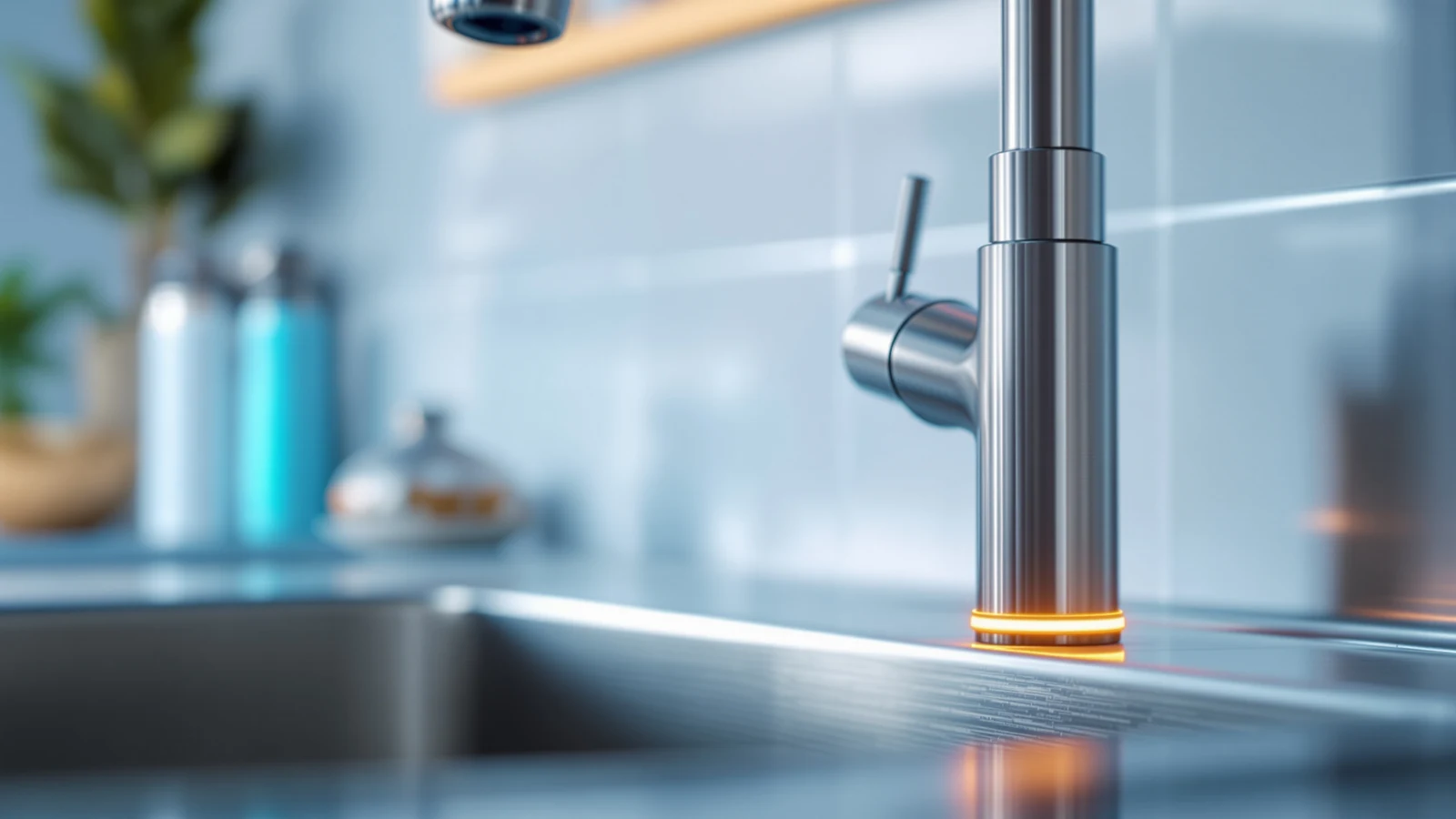
Reverse osmosis faucet with a small ring-shaped smart LED indicator glowing at its base, mounted on a kitchen sink

A lot of reverse osmosis listings now advertise a "smart LED faucet" the same way they advertise a stage count or a drain ratio — as a line item, not a feature you'd have to think about. The faucet lights up, it changes color eventually, and most owners never ask what's actually driving it. That's worth clearing up, because the honest answer is narrower than the marketing copy implies: the light is a maintenance counter, not a sensor reading your water.

What the LED ring is physically wired to

Strip the electronics down and a smart LED faucet is almost always the same small circuit: a battery or a low-voltage lead running up from the system's control box to a ring of colored LEDs set into the base or spout of the faucet itself. That circuit is driven by a timer, a flow meter, or some combination of the two sitting inside the main unit — counting elapsed days since the last filter reset, or counting gallons that have passed through the system, or both. What it is not wired to, on any of the systems this site has priced, is a probe that measures anything about the water coming out of the tap.

That distinction matters because the two jobs look similar from the outside — both show up as a light or a number on the faucet — but they draw on completely different inputs. A usage counter needs only two things: a clock or a flow sensor, and a reset button you press after swapping a cartridge. A water-quality sensor needs an actual probe sitting in the water stream, measuring something physical like conductivity. The LED ring is the first kind. It is counting your maintenance schedule, not your water.

This is also why the reset step matters more than most owners assume. Because the LED has no independent way to know a filter was actually changed, the counter only goes back to zero when someone presses the reset button or sequence the manufacturer specifies — usually held for a few seconds right after the new cartridge is seated. Skip that step and the light keeps counting against the old installation date, which is the single most common reason a freshly serviced system still shows a yellow or red indicator.

Reading the colors: what green, yellow and red typically signal

Across the RO systems that use this kind of indicator, the three-color convention is close to universal, even though the exact gallon or day threshold that triggers each change is a manufacturer-specific number none of these listings publish down to the decimal. The pattern itself, though, is consistent enough to describe in general terms:

  • Green means the counter is early in its cycle — the current cartridge set (or, on some systems, the membrane specifically) is well inside its rated service window. Nothing to do.
  • Yellow is the early-warning stage. The counter has crossed whatever internal threshold the manufacturer set — commonly somewhere in the back third of the rated gallon or day count — and is telling you to order the replacement cartridge now so it's on hand when red arrives.
  • Red means the counter has reached or passed its limit. On most systems the faucet keeps dispensing water after the light turns red; the indicator is a maintenance flag, not a shutoff valve. A small number of systems do restrict flow at that point, which is worth checking in your specific manual rather than assuming either way.

Where this gets confusing in practice is systems with more than one filter stage behind a single light. A one-LED faucet can only report one number, so on multi-stage systems the ring is usually tracking whichever stage the manufacturer decided is the limiting one — typically the shortest-lived cartridge in the lineup, not the long-lived RO membrane. A green light does not mean every stage in the box is fresh; it means the stage the counter is watching is fresh. If a system has a separate reminder for a different stage — a time-based alert distinct from the gallon counter, the way some Waterdrop listings split the two — treat them as two different pieces of information, not confirmation of the same thing. Our breakdown of Waterdrop's two 10UA upgrade paths covers exactly that split: one add-on is a calendar reminder, the other is a dedicated faucet, and neither one is a water sensor either.

Why a $260 system and a $1,599 one both have one

It's easy to assume a feature that appears on both a budget tankless unit and a four-figure flagship must be doing something sophisticated to justify showing up at both ends of the price range. The more mundane explanation is that an LED usage counter is cheap. A timer chip, a flow sensor that most tankless systems already need for other reasons, and a handful of LEDs add very little to a bill of materials next to a membrane, a pump, or eleven filtration stages — so once one manufacturer in a category ships it, it becomes close to table stakes rather than a premium differentiator.

You can see the spread across this site's own catalogue. The DESENRUIS dual-stage tankless system, priced at $259.99, ships with a Smart LED Faucet alongside its 800 GPD rating and 3:1 pure-to-drain ratio. The Waterdrop G3P600 listing with the black LED faucet, at $399.00, carries the same kind of smart LED faucet on top of its 8-stage filtration and 2:1 drain ratio. And at the top of the range, the Waterdrop X16 — $1,299.00, 1600 GPD, 11 stages, NSF/ANSI 42, 58 and 372 certified — also ships with what its own listing calls a Smart Gold Faucet. The gold finish and the extra certifications on the X16 reflect its far larger price gap with the other two; the underlying LED usage-counter mechanic does not scale with price the way the rest of the system does.

What actually separates a $260 system from a $1,599 one is everything the light isn't reporting on: stage count, certified contaminant reduction, rated daily output, and — on the X16 — an alkaline remineralization stage the cheaper two systems don't carry. The faucet light is a convenience feature bolted onto systems across that whole range, not a signal of which tier you're buying into. APEC's recent move into the tankless category is a useful parallel on this point — its first tankless entry undercuts established competitors on stage count while still competing on price, and our look at how APEC's tankless debut stacks up against the category leaders walks through that exact kind of feature-versus-price mismatch from a different angle.

How this differs from a TDS readout or a touch panel

It's worth being precise about this because the two features get lumped together in casual conversation, and they do fundamentally different jobs. A faucet-integrated LED ring is a maintenance counter wired to a clock or a flow meter. A TDS readout or a touch-panel display — the kind built into some countertop purifiers and higher-end under-sink systems — is wired to an actual sensor sitting in the water path, measuring total dissolved solids electrically and showing you a number that changes with your actual water chemistry, not just with elapsed time.

That's a meaningful functional gap. A TDS display can tell you, in real time, that your feed water just got harder after a municipal supply change, or that a membrane's rejection rate has started drifting before a calendar-based counter would ever flag it. A color-changing LED can't do either of those things, because it was never connected to the water in the first place — it's reporting on a schedule, not a measurement. Countertop systems that add a UV stage on top of their filtration raise a related but separate question about what extra hardware is actually buying you; our comparison of whether a UV stage on a countertop purifier matters walks through that same "feature versus actual function" distinction for a different add-on.

Format plays into this too. Touch-panel displays and TDS readouts show up more often on countertop units and premium under-sink systems with more electronics budget to spend, partly because a countertop unit's compact, all-in-one housing makes room for a front-facing screen in a way a faucet's small footprint doesn't. Our comparison of one brand's countertop, under-sink and tankless RO formats shows how the same manufacturer varies its interface electronics by format, and it's a good illustration of why you shouldn't assume a faucet LED and a control-panel display are interchangeable just because both show up under the umbrella term "smart faucet."

What the light can't do: it tracks days or gallons, not what's actually left in the membrane

The core limitation is the one already implied by how the LED is wired: it counts throughput against a printed assumption, and it has no way to verify that the assumption matches your household or your water supply. A manufacturer picks a representative usage pattern, divides a gallon rating by it, and prints a day count. Your kitchen is not that representative household. A system that fills a kettle and a water bottle for two people runs through far fewer gallons per day than one supplying a family of five that also fills a coffee machine, an ice maker and a pet bowl from the same line — and the LED has no way to tell the difference, because it's counting a proxy for usage, not usage itself.

It also can't see water quality in either direction. Harder-than-average feed water or a sediment-heavy supply — well water, an aging service line, a street nearby getting dug up — can foul a membrane or clog a pre-filter faster than the counter's printed assumption anticipates, so the light can stay green past the point your water actually needs attention. And because the ring is tracking elapsed time or gallons rather than a performance reading, it can't tell you whether the RO membrane itself — the component actually responsible for rejecting dissolved solids — still performs anywhere near its rated specification. That's a separate question from whether the clock has run out, and the GPD rating stamped on a replacement membrane box has to match the system it's going into or the numbers won't line up at all; our guide to matching a replacement membrane's GPD rating to your system covers that mismatch in detail.

None of this makes the counter useless — a reminder that's roughly right and resets with every cartridge change is still better than no reminder at all, and it's exactly the kind of feature a $39 direct-connect carbon filter typically skips entirely, the way our rundown of the cheapest under-sink filters in this catalogue makes clear. The point is narrower: treat the light as a prompt to go check something, not as the check itself.

The picks

Three systems, three price points, the same kind of light

Ordered by price. Each carries a smart LED faucet indicator on top of the specifications listed.

01Entry tankless

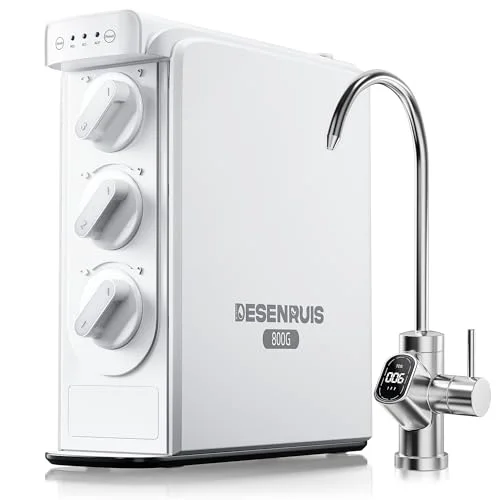
DESENRUIS Dual RO Water Filter

Smart LED at the low end of the range
800 GPD · Dual-stage · 3:1 pure-to-drain · tankless · Smart LED Faucet

The cheapest of these three systems and proof the LED faucet isn't reserved for flagship pricing. DESENRUIS pairs an 800 GPD tankless design with a 3:1 pure-to-drain ratio and markets reduced PFAS and TDS alongside the fast-flow claim. The listing doesn't publish a size or bowl-fit variant, so check the current listing directly for installation clearances rather than assuming a fit.

DESENRUIS dual reverse osmosis water filter system with smart LED faucet
$259.99
800 GPD · tanklessCheck price →
02Mid-range

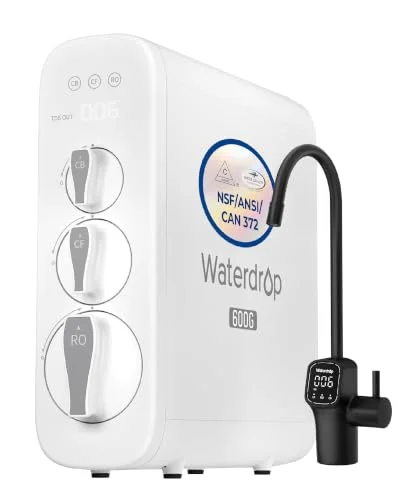
Waterdrop G3P600 (black LED faucet)

LED counter, no TDS display, at this price
NSF/ANSI/CAN 372 · 8-stage · 2:1 pure-to-drain · tankless · Smart LED Faucet

This specific G3P600 listing ships with a black faucet carrying a Smart LED indicator rather than a full TDS display — a reminder that a shared model name doesn't guarantee a shared feature set across every listing of it. It runs 8 filtration stages at a 2:1 pure-to-drain ratio and is certified to NSF/ANSI/CAN 372, which covers lead-free materials rather than contaminant-reduction performance. Worth reading the current listing's certification line closely for that reason before assuming it matches a different NSF/ANSI number elsewhere.

Waterdrop G3P600 tankless reverse osmosis system with black smart LED faucet
$399.00
8-stage · tanklessCheck price →
03Top of the range

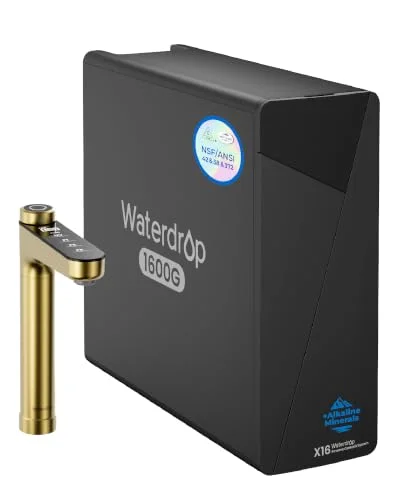
Waterdrop X16

The same kind of light, on the most expensive system here
NSF/ANSI 42, 58 & 372 · 11-stage · 1600 GPD · 3:1 pure-to-drain · alkaline mineral · Smart Gold Faucet

At $1,299.00 the X16 is priced for a different tier entirely — 1600 GPD output, 11 filtration stages, an alkaline mineral stage, and certification against NSF/ANSI 42, 58 and 372, the broadest set of the three systems here. This listing covers the 1600 Gallon configuration. Its Smart Gold Faucet carries the same category of LED usage indicator as the two cheaper systems above; the gold finish and the extra certifications are what the higher price is actually buying, not a more capable light.

Waterdrop X16 reverse osmosis system with alkaline mineral stage and smart gold faucet
$1,299.00
1600 GPD · 11-stageCheck price →
SystemCertifiedOutputDrain ratioIndicatorPrice
DESENRUIS Dual RONot listed800 GPD3:1Smart LED faucet$259.99Price
Waterdrop G3P600NSF/ANSI/CAN 3728-stage2:1Smart LED faucet$399.00Price
Waterdrop X16NSF/ANSI 42, 58 & 3721600 GPD3:1Smart gold faucet$1,299.00Price

The light shows the wrong color after a filter change — now what

This is a common support question across LED-equipped systems, and the cause is almost always one of a short list of things rather than a defective light. Work through them in order before assuming anything is actually broken.

Check the reset step first. Because the counter has no way to independently detect a cartridge swap, it only zeroes out when the manufacturer's specific reset sequence is performed — usually a button or combination held for several seconds right after the new filter is seated. If that step was skipped or interrupted, the light will keep counting from the old installation date, which reads exactly like a filter that was never actually changed.

Confirm you reset the right counter. On multi-stage systems, a single LED is often tracking one specific stage — commonly the shortest-lived one — rather than every cartridge in the box. If you changed a different stage than the one the counter watches, the light has nothing to report back on and will stay exactly where it was.

Rule out a power interruption. On systems where the counter runs off the unit's main power rather than a dedicated battery, unplugging the system — for a cabinet rearrangement, a house move, or routine cleaning — can reset or corrupt the stored count depending on the design, sometimes showing a color that doesn't match the cartridge's real age in either direction.

Give it a short window before troubleshooting further. A few systems take a brief interval after a reset to re-sync their reading, so a light that looks slightly off immediately after a change is often just mid-transition. If it hasn't settled to the expected color within a reasonable window — generally within a day of normal use — and the reset procedure was followed correctly, that's the point to check the manual for a hard-reset sequence or contact the manufacturer, since a light that's genuinely stuck is a hardware question the counter itself can't answer.
FAQ

Questions people ask about smart LED faucet indicators

Is the LED light on an RO faucet actually testing my water?

No. The LED ring is wired to a timer and/or a flow sensor inside the main unit that counts elapsed days or gallons since the last reset. It is not connected to a probe that measures anything about the water itself, such as total dissolved solids. A TDS readout or touch-panel display is a separate kind of feature, wired to an actual water sensor, and the two shouldn't be assumed to do the same job just because both show up under the "smart faucet" label.

What do green, yellow and red mean on a smart RO faucet?

The general convention is consistent across systems that use this indicator: green means the current cartridge or membrane is early in its rated usage window, yellow is an early warning that the counter has crossed an internal threshold and a replacement should be ordered, and red means the counter has reached or passed its limit. The exact gallon or day threshold that triggers each color is set by the manufacturer and isn't published to the decimal on any of the listings in this piece, so treat the colors as a general schedule rather than a precise countdown.

Why does a $260 system have the same kind of light as a $1,599 one?

Because the LED usage counter is a cheap component — a timer or flow sensor plus a handful of LEDs — next to the cost of a membrane, a pump, or additional filtration stages. It shows up across a wide price range because it adds little to a bill of materials, not because it signals a particular quality tier. What actually separates a budget system from a flagship one is stage count, certifications, rated output and extras like an alkaline stage — not the faucet light.

My filter light is still red after I changed the cartridge. What's wrong?

Almost always a missed or interrupted reset step, since the counter has no independent way to detect that a cartridge was swapped — it only zeroes out when the manufacturer's specific reset sequence is performed. Other common causes are resetting the wrong stage's counter on a multi-stage system, or a power interruption on units where the count isn't stored on a dedicated battery. Confirm the reset procedure from the manual and try it again before assuming the light itself is faulty.

Keep reading

Next, if you're weighing displays and features against price